Most people use about three buttons on their heat pump remote. Power, temperature up, temperature down. The rest of the panel sits there covered in little symbols that look vaguely meaningful, and the manual disappeared into a drawer years ago.
The trouble is that those extra buttons are where most of the comfort and efficiency lives. Used properly, your heat pump can run cheaper, heat faster, dry out a damp room, and stop blowing cold air at your head. Used by guesswork, it can quietly cost you money and leave you wondering why the thing never seems to do what you want. Here is a plain-English guide to what every symbol and button actually does.
The biggest mistake people make is leaving their heat pump in the wrong mode, so start here. These symbols control what the unit is actually trying to do.
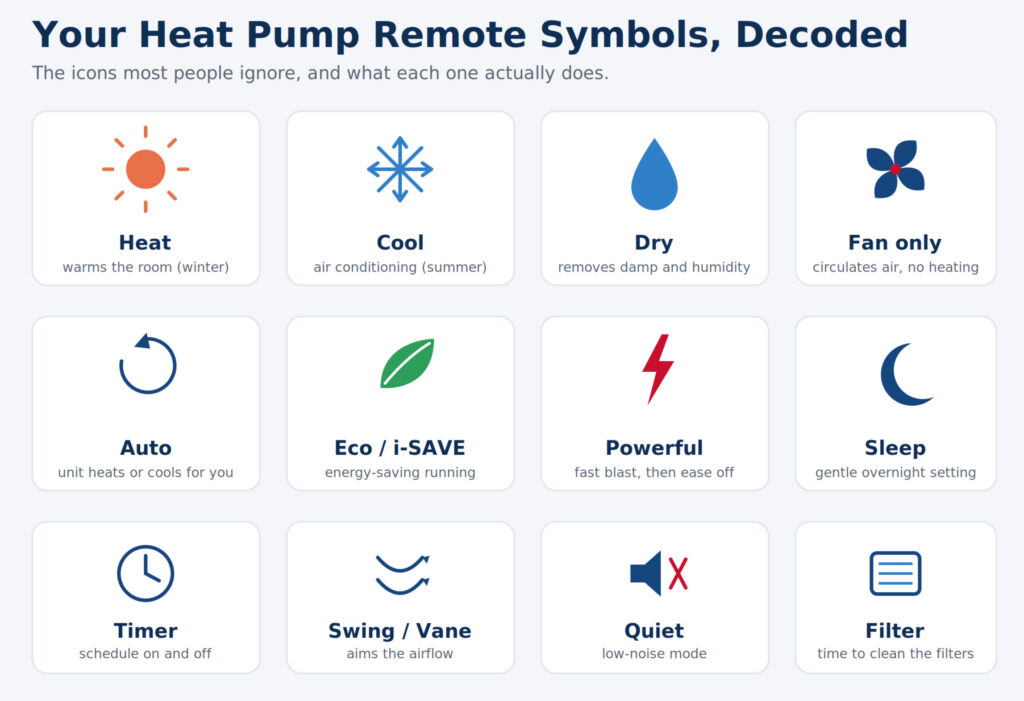
Sun symbol: Heat mode. This tells the unit to warm the room. In winter, this is the setting you want. If your heat pump is blowing cool air when you want heat, this is almost always the culprit.
Snowflake symbol: Cool mode. This is air conditioning. The unit removes heat from the room and pushes it outside. Use it in summer.
Water drop symbol: Dry or dehumidify mode. One of the most underused settings in New Zealand homes. Dry mode pulls moisture out of the air without dramatically changing the temperature. It is excellent for damp, muggy days and for reducing condensation and that musty winter feeling, which matters a lot in our climate.
Fan symbol: Fan only mode. The unit circulates air without heating or cooling. Useful for moving air around on a mild day, though it does not change the temperature.
Triangle arrows or “Auto”: Automatic mode. The unit decides whether to heat or cool to hold your target temperature. Convenient in shoulder seasons, though it can flip between heating and cooling more than you would like, which is not always the most economical way to run it.
Getting the mode right is genuinely half the battle. The number of “my heat pump is broken” calls that turn out to be a unit left in cool mode during winter is higher than you would think.
Once the mode is sorted, these control how the air actually moves.
Fan speed: Usually shown as a row of bars or a fan icon with numbers. More bars means a stronger, faster airflow. A higher fan speed heats or cools a room more quickly but is noisier. A lower speed is quieter and gentler. Many remotes also offer an automatic fan speed that adjusts itself.
Swing or vane control: This is the symbol that moves the louvres, the flaps that direct the air. Vertical swing aims the air up or down, and horizontal swing moves it side to side on some models. This matters more than people realise. Warm air rises, so in heat mode you generally want the air angled downwards to push heat to floor level. In cool mode, angling it upwards or keeping it horizontal stops cold air dumping straight onto you.
This is where the clever features hide, and they vary a little between brands.
Economy, Eco, or i-SAVE: An energy-saving setting that gently limits how hard the unit works to keep running costs down. Some versions, like the Mitsubishi i-SAVE function, also let you save a preferred temperature and fan setting so you can recall it with one press. Brilliant for everyday use when you want comfort without watching the power meter.
Powerful, Turbo, or Hi Power: The opposite approach. The unit runs flat out to heat or cool the room as fast as possible, usually for a set period before returning to normal. Perfect for taking the edge off a freezing room when you first walk in, then letting it settle back to an efficient steady state.
Quiet or Silent: Reduces noise from the indoor and sometimes outdoor unit by limiting fan speed and compressor activity. Good for bedrooms and late nights, with a small trade-off in heating or cooling speed.
Sleep or Night mode: Gradually adjusts the temperature over several hours and dims the display, so you are not paying to heat or cool an empty-feeling room while you are asleep under the covers.
Air purifying, ion, nanoe or plasma: Depending on the brand, this runs a filtration or air-treatment feature designed to reduce odours, allergens, and bacteria. The naming differs, with Panasonic using nanoe and other brands using their own terms, but the idea is cleaner air.
Timer (On and Off): Lets you schedule the unit to turn on or off at set times. Setting an “on” timer to fire shortly before you wake or arrive home means you walk into a warm house without running the heat pump all night. This is one of the easiest ways to be more comfortable and more economical at the same time.
Clock or set time: Many timers will not work correctly unless the remote’s clock is set, so if your timer seems to ignore you, check this first.
Display or light: Toggles the brightness of the indoor unit’s display lights, handy in a bedroom.
Filter reset or clean indicator: A symbol that lights up to remind you the filters need cleaning. Do not ignore it. Clogged filters are the single most common reason a heat pump runs poorly, costs more, and eventually needs a repair. A quick vacuum of the filters every few weeks during heavy use makes a real difference.
If your filter light keeps coming on, or the unit is not performing the way it used to even with clean filters, it may be time to book a heat pump service to keep it running efficiently.
Knowing what the symbols mean is only useful if you put them to work. A few simple habits get the most out of your system:
It is also worth remembering that a remote can only do so much if the unit itself is the wrong size for the space. A heat pump that is undersized will run hard and still struggle, no matter how cleverly you use the buttons. If you have ever wondered whether yours is up to the job, our guide on getting a heat pump correctly sized for the room is a useful read.
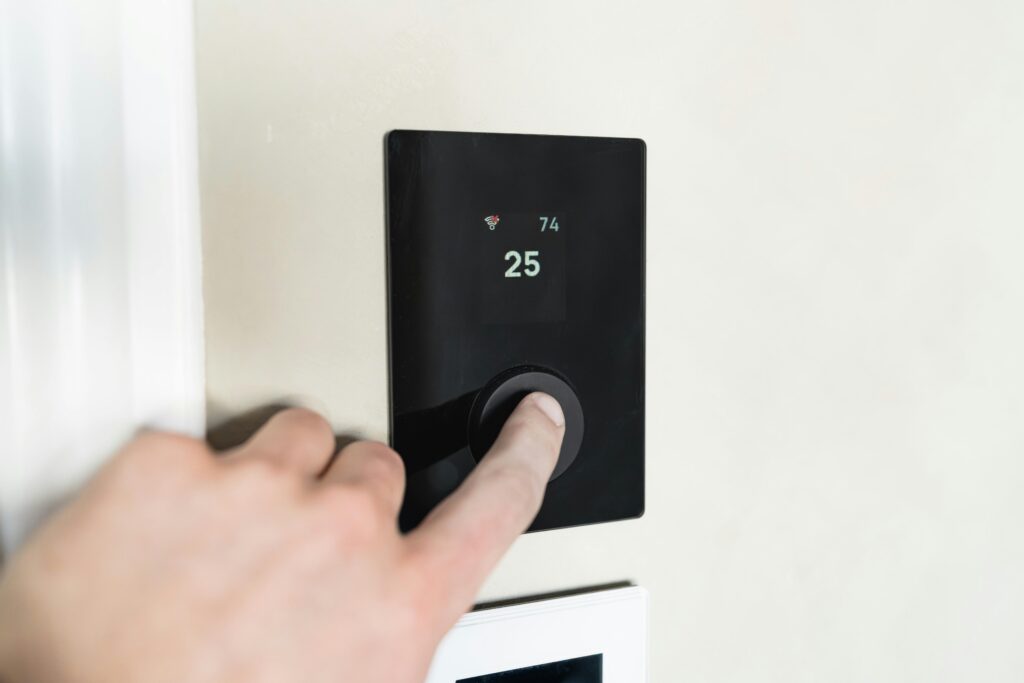
For anyone who finds the remote fiddly altogether, modern systems let you skip it almost entirely. With phone and app control you can adjust modes, schedules, and temperature from the couch or before you even get home, which makes all of these functions far easier to actually use.
First, check the mode symbol on your remote. If it shows a snowflake, the unit is in cooling mode and should be switched to the sun symbol for heating. If it is already in heat mode and still blowing cool air, the system may be in a normal defrost cycle during winter, or it could require servicing.
Cool mode is designed to lower the room temperature, while dry mode focuses on removing excess moisture from the air with minimal impact on temperature. During damp New Zealand winters, dry mode can help reduce humidity and condensation without making the room feel colder.
Yes. Powerful or Turbo mode operates the heat pump at maximum output, which increases energy consumption while active. It is most effective when used for a short period to quickly heat or cool a room before returning to a standard operating mode for greater efficiency.
The timer allows you to schedule the heat pump to turn on or off at specific times. If the timer is not working, the most common cause is an incorrect clock setting on the remote control. Check that the remote’s clock is set correctly before troubleshooting further.
Start by replacing the batteries and ensuring there is a clear line of sight between the remote and the indoor unit. If the issue continues, there may be a fault with the remote sensor or the heat pump itself, and a professional inspection may be needed.
A heat pump is only as good as the way it is set up and used, and the right install makes every one of these features work the way it should. Varcoe has handled professional heat pump installation across Auckland since 1975, sizing systems properly and showing every customer how to actually use them.
If your heat pump is not performing the way it should, or you want a system that is genuinely easy to control, get in touch with our team or call 0800 088 888. We will make sure yours is doing exactly what you need it to.